Object Storage is a powerful and scalable solution for storing unstructured data such as backups, images, videos, and large files. It is designed for anyone who needs secure, cost-effective storage with seamless API access. This guide will teach you what object storage is and how to set it up.
What is Object Storage?
Unlike traditional file systems, which organize data in folders and directories, object storage manages data as standalone units called objects. Each object contains three key components:
- Data – the actual file (e.g. images, videos, or backups).
- Metadata – details about the file, such as size or creation date.
- Unique identifier – a specific ID that enables quick localization and recovery.
This structure makes object storage particularly well-suited for handling large amounts of data, where scalability and reliability are crucial.
Why choose Object Storage?
Our Object Storage solution at Contabo offers several advantages:
- Affordable prices with a simple pay-as-you-go model – you only pay for what you use.
- Reliability and security with German infrastructure, integrated DDoS protection, and compliance with European regulations.
- S3 API compatibility, which enables seamless integration with popular tools and applications.
- Scalability and performance, support for storage from a few gigabytes to 5 terabytes per file, without the need for expensive hardware upgrades.
Step-by-Step Setup
Getting started with Object Storage at Contabo is straightforward:
- Create an Account at Contabo.
- Log in to the dashboard Customer Control Panel and navigate to the Object Storage section.
- Select a plan that fits your project needs.
- Create a bucket by naming it and choosing a region (depending on your use case and needs, the closer the server to your audiences, the lower the latency).
- Upload your data by dragging and dropping files or using API keys for programmatic uploads.
- Set permissions to determine whether your data remains private or is publicly accessible.
Key Advantages
Compared to traditional file-based storage systems, Object Storage offers significant advantages. It is far more cost-effective, as it eliminates the need for expensive hardware and ongoing maintenance. At the same time, it offers simple scalability, allowing the storage capacity to be seamlessly increased as data requirements grow, without downtime or interruptions. Integrated redundancy ensures high reliability and secure access, so users can trust that their data is both protected and always available.
Default Limits
To ensure fair use and high performance, Contabo applies default limits:
- File size up to 5 TB.
- Up to 3 million objects per customer (increasable upon request).
- Supports 250 API requests per second.
- Default bandwidth of 10 MByte/s (80 Mbit/s), depending on internet connection.
- Up to 100 buckets per customer.
- Public objects changed to private may remain cached and accessible for up to one hour.
One more limit worth knowing before you commit: Contabo’s Customer Control Panel doesn’t support attaching a custom domain directly to a bucket the way some competitors do. If you want to serve files from your own domain (for example, cdn.yourdomain.com) rather than the default bucket URL, you’ll need to set that up yourself — a Cloudflare Workers reverse proxy in front of the bucket is the most commonly used approach, and it adds no meaningful latency, but it is an extra step you won’t get out of the box.
Practical Use Cases
Object Storage can be used in many practical ways, such as securely storing project or server backups, organizing and retrieving large media libraries of images, audio, or video, and enabling developers to programmatically manage data through the S3-compatible API. This versatility makes it a reliable and valuable solution for both individuals and businesses.
Mounting Object Storage on Your Contabo VPS or VDS
If you’re running a Contabo VPS or VDS and want your object storage bucket to behave like a local folder — rather than uploading through the Control Panel or calling the API directly — you can mount it as a filesystem using rclone, the most commonly used tool for this. rclone treats your bucket as a remote and lets you read, write, and browse it with normal file commands once mounted, which is useful for backup scripts, media pipelines, or any application that expects a regular filesystem path rather than S3 API calls.
Basic setup on your VPS or VDS:
- Install rclone (a single binary, available for most Linux distributions).
- Configure a new remote with rclone config, using your Object Storage endpoint, access key, and secret key from the Customer Control Panel.
- Create a local mount point, e.g. mkdir ~/contabo-storage.
- Mount the bucket: rclone mount remotename:bucketname ~/contabo-storage –daemon.
- Your bucket now appears as a normal directory at that path — read and write to it like any other folder.
s3fs is a lighter-weight alternative some teams prefer, using FUSE to mount the bucket directly rather than through rclone’s own remote-management layer — the setup is similar in spirit (endpoint, access key, secret key, mount point) but with a smaller feature set than rclone. Either approach works with Contabo Object Storage because it’s S3-API-compatible — nothing here is Contabo-specific configuration, just the endpoint and credentials from your own account.
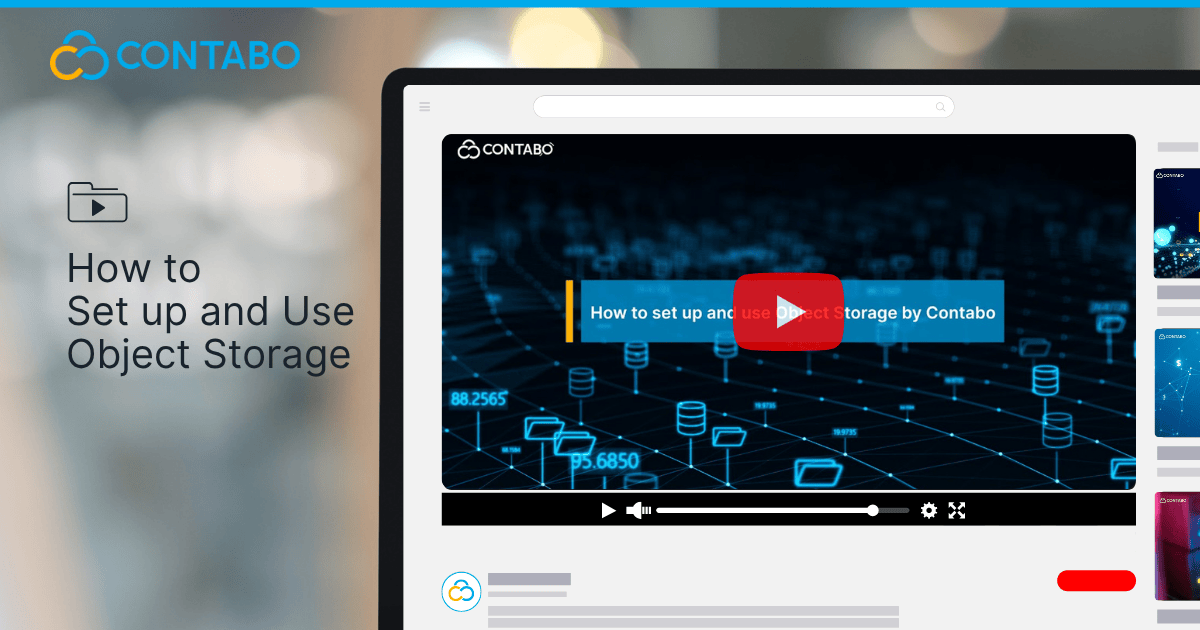
Watch our YouTube Video Walk-through
You can also follow along visually with our step-by-step tutorial on our YouTube. This video walks you through account creation, bucket setup, uploading data, and adjusting permissions – making it easier to see each action in context.
Conclusion
Our Object Storage at Contabo combines affordability, reliability, and scalability into a single solution. Whether you need to back up important data, manage media files, or integrate storage with your applications, it provides the tools to make the process simple and efficient.