





























Cloud VPS autobackup

Auto Backup for Cloud VPS

✅ 10 Days of Incremental Backups ✅ 2-Click Restoration ✅ Off-Server Backup Storage

Make data loss a thing of the past. A VPS with Auto Backup is the cost-effective cloud hosting solution you've always wanted, with the ironclad data safety you didn't know you needed.

CLOUD VPS 4

Auto Backup Included

€5.50
4
40 / month
✔️
4 vCPU Cores
8 GB RAM
100 GB SSD More storage available
1 Snapshot
200 Mbit/s Port
Unlimited Traffic*
CLOUD VPS 6

Auto Backup Included

€7.50
6
00 / month
✔️
6 vCPU Cores
12 GB RAM
200 GB SSD More storage available
2 Snapshots
300 Mbit/s Port
Unlimited Traffic*
CLOUD VPS 8

Auto Backup Included

€14.00
11
20 / month
✔️
8 vCPU Cores
24 GB RAM
300 GB SSD More storage available
3 Snapshots
600 Mbit/s Port
Unlimited Traffic*
CLOUD VPS 12

Auto Backup Included

€25.00
20
00 / month
✔️
12 vCPU Cores
48 GB RAM
400 GB SSD More storage available
3 Snapshots
800 Mbit/s Port
Unlimited Traffic*
CLOUD VPS 16

Auto Backup Included

€37.00
29
60 / month
✔️
16 vCPU Cores
64 GB RAM
500 GB SSD More storage available
3 Snapshots
1 Gbit/s Port
Unlimited Traffic*
CLOUD VPS 18

Auto Backup Included

€49.00
39
20 / month
✔️
18 vCPU Cores
96 GB RAM
600 GB SSD More storage available
3 Snapshots
1 Gbit/s Port
Unlimited Traffic*

Data Protection You'll Thank Yourself For
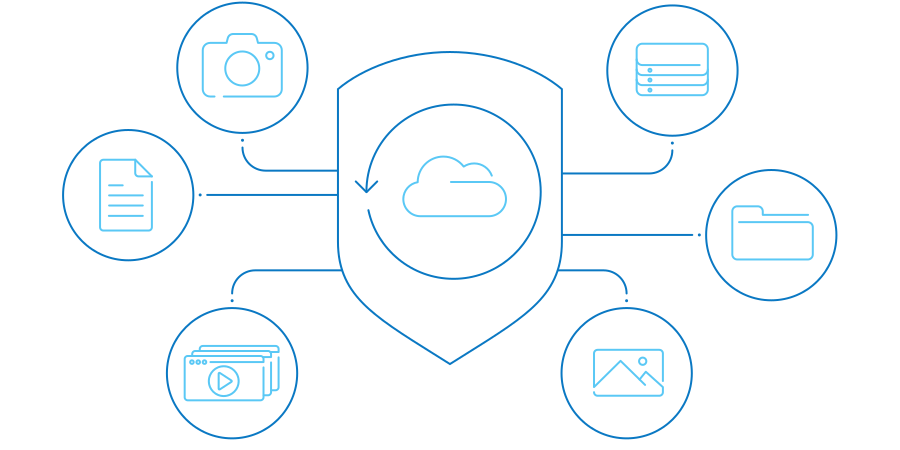
Turn "I wish I had" into "I'm glad I did".
image Auto Backup for cloud VPS

Auto Backup is your VPS data's guardian, working tirelessly behind the scenes to keep your data safe from unexpected disasters. This powerful Add-On to your Contabo Cloud VPS provides automated, off-server backups, ensuring your critical data is always protected. 


With Auto Backup, you're not just getting Backup as a Service (BaaS) – you're investing in peace of mind. Set it up once, and let it run in the background while you focus on your projects. It's the perfect safeguard for your VPS, providing extra protection against data loss, accidental deletions, ransomware, or system failures.

Key Features at a Glance

Calendar

Automated daily backups for the past 10 days
Off Server

Off-server storage for enhanced security

Cloud VPS

Seamless integration with your Cloud VPS

1-click Installation

Effortless two-click restoration process

icon_snapshot

Complements the 30-day snapshot of your VPS

9 Regions, 11 Locations, Global Protection
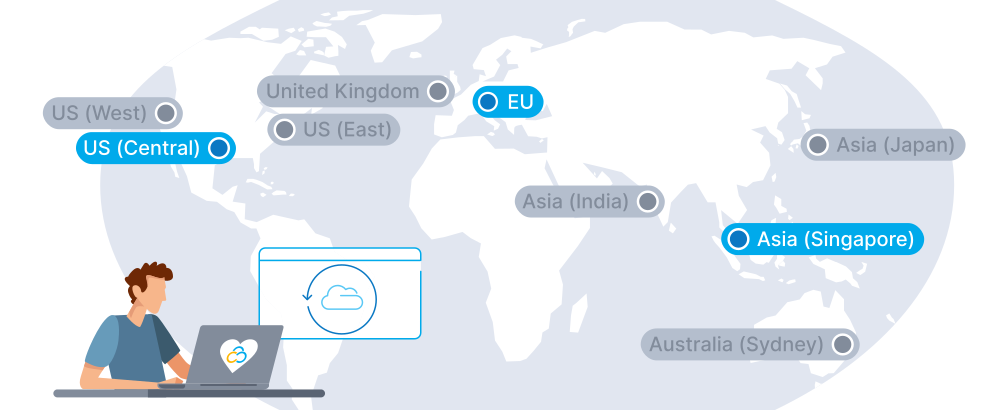
Protect your data with confidence, no matter where you are. Backups are stored in strategically located Data Centers across three regions, so you can rely on low-latency backup and recovery as well as compliance with regional data regulations.
Data Center Region Map Auto Backup

Why Auto Backup is Right for You

When it comes to protecting your critical data, Auto Backup stands out as the smart choice.
icon_automation-alt
Set It and Forget It

Auto Backup runs automatically in the background. Once set up, you can focus on your projects while we take care of your data protection.

Icon Coffee
Peace of Mind, Guaranteed

With automated daily backups stored off-server, you can rest easy knowing your critical data is safe and recoverable, even in worst-case scenarios.

Icon Highspeed
Lightning-Fast Recovery

In the event of data loss, Auto Backup allows for quick, one-click restoration. Minimize downtime and get back to business faster.

Icon compatibility
Seamless Integration

Auto Backup works hand-in-hand with your Contabo VPS, providing a unified, hassle-free experience. No need to juggle multiple services or providers.

Icon pricing
Cost-Effective Protection

Get strong data security at a price that works for your budget. Auto Backup offers great protection without breaking the bank.

icon_flexibility-alt
Flexibility When You Need It

Don't need backups for a while, or want to make sure you have a save point while you experiment? No problem - pause Auto Backup and resume at any time.

Better Safe Than Sorry

Your data is everything, and scenarios like these can happen to anyone. With Auto Backup, a potential crisis becomes a minor inconvenience. Rest easy knowing your data is safe at all times.

Accidental File Deletion

You're updating your website and accidentally delete an important folder containing months of work. 

With Auto Backup, you can quickly restore your files, saving you from losing valuable data and hours of reconstruction.


Failed Software Update

During a routine software update, something goes wrong, leaving your website or application non-functional. 

Auto Backup allows you to roll back to a previous, stable version of your VPS, minimizing downtime and preserving your online presence.

Security Breach

Your VPS falls victim to a malware attack, compromising your data and system integrity. 

With Auto Backup, you can restore your VPS to a clean state from before the attack, helping you recover quickly without losing critical data.

How Auto Backup Works

Auto Backup is designed to protect your VPS data efficiently and reliably. Here's a breakdown of how the process works:
auto-backup-vps-page-how-it-works-icon

Initial Full Backup

When you first set up Auto Backup, it creates a full copy of your VPS disk. This happens automatically within the standard backup window after you've added Auto Backup to your VPS.

auto-backup-vps-page-how-it-works-icon

Recovery Process

Restoring your data is straightforward:
• You can restore any kept backup to your original VPS
• The restoration process overwrites the current data on your VPS
• During recovery, your VPS will be temporarily unavailable until the process is complete
auto-backup-vps-page-how-it-works-icon

Hands-Free Automation

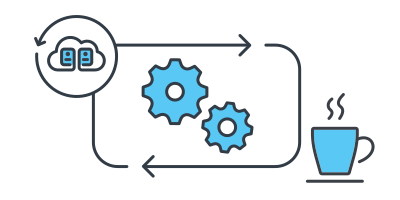
Auto Backup works behind the scenes, ensuring your data is protected without requiring any manual input from you beyond the initial setup. It's the hassle-free way to safeguard your VPS data.

Trusted by Thousands Worldwide

190
Countries Served
275,000+
Customers Worldwide
500,000+
Servers Running
23 Years
In business

See Why Customers Love Contabo

Frequently Asked Questions about Auto Backup

FAQs | More information on Auto Backup for your Contabo VPS
Where can I find answers to all my Auto Backup questions?

To make it easy for you to find the answers you're looking for, we've collected all the Auto Backup FAQs into a handy  knowledge base . In you can't find what you need in the FAQs directly below, please look there for more information.

What is Auto Backup for Contabo VPS?

Auto Backup is a paid Add-On for your Contabo Cloud VPS that automatically creates off-server backups of your data for the past 10 days. It's designed to provide user-friendly, reliable data security for VPS customers.

How does Auto Backup work?

Auto Backup starts with a full copy of your Cloud VPS disk. Then, it performs daily incremental backups, copying only the changes since the last backup. These backups are initiated during a standard backup window, with at least 8 hours between each backup.

How long are backups retained with Auto Backup?

Auto Backup keeps each daily backup for up to 10 days. It maintains a maximum of 10 backups at any time, deleting the oldest ones first to make room for new backups.

Can I use Auto Backup with all Contabo VPS plans?

Currently, Auto Backup is available as an Add-On for Cloud VPS 4C-20C, 1-6 and S-XL. If you're using an older VPS configuration and want to use Auto Backup, you'll need to switch to one of our newer plans. Support for Storage VPS and Cloud VDS is planned for the future.

How is Auto Backup different from the snapshot feature?

While the snapshot feature backs up an image of your VPS disk with 30 days of retention, Auto Backup provides 10 days of daily off-server backups. This makes Auto Backup complementary to the snapshot offering, enhancing your overall data protection strategy with both short- and long-term regular backups.

How do I restore my data using Auto Backup?

You can restore any kept backup to your original VPS. This process overwrites the current data on your VPS. During the recovery, your VPS will be temporarily unavailable until the process is successfully concluded.

What happens to my backups if I cancel my VPS or the Auto Backup add-on?

You can cancel the Auto Backup Add-On without cancelling your Cloud VPS, and vice versa. If you disable the backup, the most recent backup is kept until you either re-enable the service or cancel the Add-On completely.

Does Contabo guarantee the recoverability of my data with Auto Backup?

While Contabo ensures that backups are performed and backup data is accessible, we do not guarantee recoverability or engage in recovery on behalf of the customer. It's important to regularly verify your backups.

When is the initial full backup performed for Auto Backup?

The initial full backup is performed within the standard backup window after either provisioning your Cloud VPS (if Auto Backup was purchased with the VPS) or after adding the Auto Backup service to an existing VPS.

Can I use Auto Backup for my existing Contabo VPS?

Yes, you can add the Auto Backup service to your existing Cloud VPS at any time. Once added, it will perform an initial full backup during the next standard backup window.

Where is my backed up data located?

Auto Backup stores your data off-server in the Data Center of your choice - EU, US Central, or Asia (Singapore). This means it's kept separate from your original VPS, providing an additional layer of protection for your backups.