hero-image_nextcloud
nextcloud-icon-alt
NEXTCLOUD VPS

Nextcloud Hosting: Your Private Sync, Storage, Backup & Sharing Hub

Hero Check alt Free Pre-Installed Nextcloud
Hero Check alt Unlimited Users & Data
Hero Check alt Full Data Control
Enjoy the power of self-hosted Nextcloud without the complex setup - we install it for you free of charge. Just choose a server to start hosting, streaming, sharing, and collaborating on your files.
CLOUD VPS 4

Nextcloud
The Starter

€5.50
4
40 / month

Perfect for individuals, families, or a small team syncing files, calendars, and contacts.


4 vCPU Cores
8 GB RAM
100 GB SSD

STORAGE VPS 30

Nextcloud Large Media Libraries

€14.00
11
20 / month

With 1 TB of storage, this is the best choice for Content Creators, offering plenty of space for media files.


6 vCPU Cores
18 GB RAM
1 TB SSD

CLOUD VPS 12

Nextcloud
Business Needs

€25.00
20
00 / month

Powers a smooth experience for growing businesses with many active users and demanding apps.


12 vCPU Cores
48 GB RAM
400 GB SSD

STORAGE VPS 50

Nextcloud
Ultimate Media Server

€37.00
29
60 / month

With 1.4 TB of storage and a 1 Gbit/s port, perfect for streaming extensive video files and media collections.


14 vCPU Cores
50 GB RAM
1.4 TB SSD

What is Nextcloud?

nextcloud-img

Nextcloud is the leading open-source platform for your own private cloud, a self-hosted alternative to Google Drive or Dropbox. It is used for secure file sync, real-time document collaboration, and managing all of your calendars and contacts.

Customize it with a built-in App Store of hundreds of free apps, from online office suites like ONLYOFFICE to password managers. Nextcloud being open-source means you control the server, ensuring your data is always secure and private.

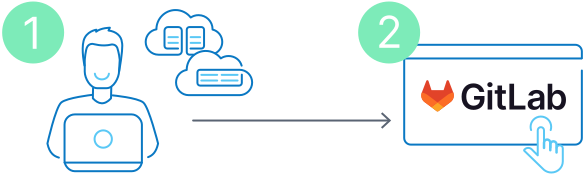
Get Started In Minutes

Ready to launch your own private cloud but concerned about the technical setup? Our 1-click Nextcloud script takes care of it, getting you from order to login in just a few minutes.

Step 1: Choose Your Plan

Pick the Nextcloud plan with the right resources for your needs (see our recommendations above or choose yourself).

Step 2: Log into Nextcloud
Once we've set up your server including Nextcloud, it's over to you! Start uploading files, add users & install apps.
gitlab-installation-image-alt

Why Self Host Your Own Nextcloud Server?
Self-hosting Nextcloud on a VPS gives you the freedom to create a private, powerful, and customized platform. Escape the limitations and recurring fees of big tech for all your personal and professional needs.
Security

Top Security

Securely store, sync, and share all your personal and business files on your own private cloud.

Compatibility

Easy Collaboration

Edit office documents, manage projects with shared calendars, and hold secure video calls.

Application

Large Ecosystem

Add new features like online office suites or password managers with hundreds of free apps.

icon_privacy

Centralized Control & Privacy

Own your data with no third-party tracking and control its location for GDPR compliance.


To Be the Best, You Need to Work with the Best

Self-hosting Nextcloud allows you to centralize your entire workflow. The App Store lets you add free tools for real-time collaboration, task management and storage expansion, creating a powerful alternative to expensive business suites.
logo small onlyoffice
ONLYOFFICE
logo_small_nextcloud-talk
Nextcloud Talk
Paperless-ngx
Paperless-ngx
logo_small_nextcloud-deck
Ubuntu
logo_small_mail
Mail
logo_small_s3
S3 / Object Storage

Why Self-Host Nextcloud on the Contabo Cloud?
When you self-host Nextcloud on a Contabo server, you own your data, control your costs, and customize your cloud exactly how you need it
Calendar

Pay one flat monthly fee for your server - that's it.

icon_community

Enjoy unlimited users - add as many users as you want.

icon_gdpr

Full data control - Choose your server location for compliance.

Trusted by Thousands Worldwide

190
Countries Served
275,000+
Customers Worldwide
500,000+
Servers Running
23 Years
In business

Frequently Asked Questions about Nextcloud Hosting

FAQs | More information on Nextcloud Hosting on Contabo
What are the advantages of Nextcloud VPS hosting?

Nextcloud VPS hosting provides a high-performance, secure environment with full control. Customize it with a rich ecosystem of apps for communication, collaboration, and productivity, creating a seamless workflow tailored to your specific needs.


Not convinced yet? Read our article in whhichh we compare Nextcloud to it's competitors like OneDrive, Google Cloud or self-hosted systems like a Synology NAS:

What collaboration tools does Nextcloud offer?

Nextcloud includes tools for real-time collaboration, such as document editing with Collabora Online or ONLYOFFICE, calendar and contact management, and secure messaging. These features facilitate efficient communication and teamwork across different locations and platforms.


Learn more about Nextcloud's collaboration possibilities in our dedicated article  Nextcloud Office & Collaboration: A Deep Dive into Integrations .

How does offline access work with Nextcloud hosting?

Nextcloud allows users to sync files to their devices and access them offline. Changes made offline are synced back to the server once the device's internet connection is reestablished, ensuring data consistency and accessibility at all times.

Is Nextcloud free?

Yes, the Nextcloud software itself is completely free and open-source. The only cost associated with running it is for the infrastructure that powers it. With Contabo, you only pay the low monthly price for your Virtual Private Server (VPS).

How do I install Nextcloud on a VPS?

The easiest method is to use our one-click Nextcloud image when you order your server. This script automates the entire installation process, getting your cloud running in minutes. Alternatively, since you have full root access, you can install it manually on any Linux distribution you prefer. See our guide on  How To Install Nextcloud on Ubuntu LTS (24.04)  in the Contabo blog.

Is Nextcloud secure?

Nextcloud is designed with strong security features, including server-side encryption, two-factor authentication, and brute-force protection. As a self-hosted solution, the overall security of your instance is in your hands. It is important to keep your software and OS updated and use strong security practices. Contabo provides a secure network and infrastructure foundation for your server.


Learn more about how to strengthen your Nextcloud security in our article:  Nextcloud Security Best Practices: A Hardening Guide for Administrators

How do I update Nextcloud?

A great advantage of having your own cloud is that you get to decide when and how to update. Keeping your Nextcloud up-to-date is simple using the built-in updater in your Nextcloud admin panel. This ensures you're always enjoying the latest features and the strongest security.


If your Nextcloud is getting slow, consider reading our in-depth article  How to Fix Slow Nextcloud: Performance Optimization and Troubleshooting Guide , where we go through tips and tricks that will improve stability and performance!

How much does Nextcloud hosting cost?

The total cost is simply the monthly fee for your chosen Contabo VPS. We do not charge per user, for bandwidth, or for extra features. This makes self-hosting extremely cost-effective, as your price doesn’t increase when you add more users to your cloud.

How can I back up my Nextcloud?

Protecting your data is key, and you're in full control of your Nextcloud backups. A good backup saves everything - your files, database, and settings. You have the flexibility to run them manually or set up automations. For the best security, we suggest keeping a copy on separate storage.

How can I install Nextcloud on my existing server?

You can easily install Nextcloud free of charge on any existing Contabo VPS or VDS instance via your  Customer Control Panel . Simply follow our  step-by-step guide .

Can I add additional users to my Nextcloud instance?

Of course. You can do this easily via the Users section within your Nextcloud instance.


Please note that due to server-side restrictions, added users will not receive an email. However, you can simply set the login credentials for your new users and send it to them directly (they will be able to change the password later if needed).

How long will it take to get my Nextcloud server up and running?

The entire provisioning process including installation of the Nextcloud image can take up to 30 minutes in two stages:

  1. Your server will be provisioned, and you will receive login details via email. For standard configurations, this usually takes no more than a few minutes.
  2. Once the server itself is up and running, please allow the remainder of 30 minutes for the Nextcloud instance to be installed and activated.
What kind of support does Contabo offer for Nextcloud?

We provide 24/7 technical support for our infrastructure - the physical server, network connectivity, and access to your VPS. However, we do not provide application-specific support for Nextcloud itself. For help with Nextcloud configuration, errors, or apps, the official  Nextcloud community forums  are the best resource.