

























































































OPENCLAW VPS HOSTING
Self-Hosted OpenClaw: The AI Assistant that Acts for You
 Free Pre-Installed OpenClaw Always-On Automation Full Data Control
 Run your own personal, always-online AI agent you can talk to like a human. OpenClaw hosting is private, powerful, and under your control.
OpenClaw
Personal Use
OpenClaw
Personal Use
Great for personal reminders, social media posting, and data backups.
4 vCPU Cores
8 GB RAM
100 GB SSD
Auto Backup available
OpenClaw
Power User
OpenClaw
Power User
Ideal for web scraping, social media reporting, and data analytics.
6 vCPU Cores
12 GB RAM
200 GB SSD
Auto Backup available
OpenClaw
Team Deployment
OpenClaw
Team Deployment
Perfect for syncing CRM data, processing orders, and marketing automation.
12 vCPU Cores
48 GB RAM
400 GB SSD
Auto Backup available
OpenClaw
Enterprise Scale
OpenClaw
Enterprise Scale
Maximum power for complex systems and data-intensive automations.
18 vCPU Cores
96 GB RAM
600 GB SSD
Auto Backup available
What is OpenClaw?
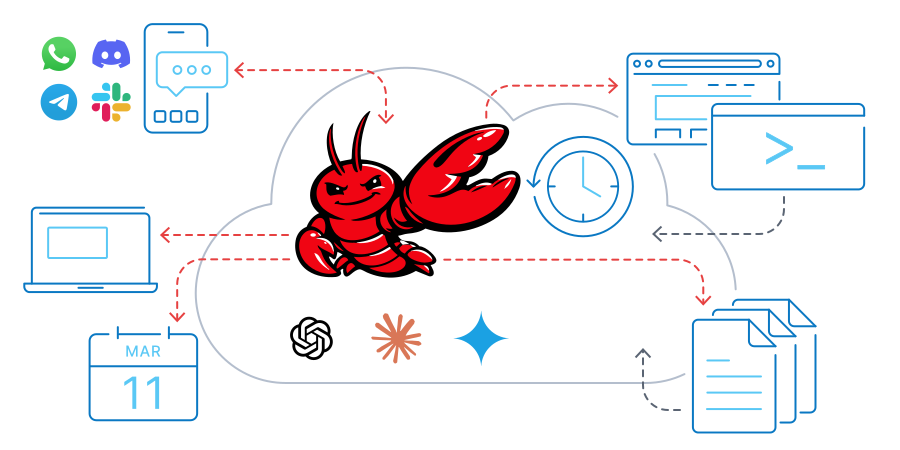
OpenClaw (formerly Clawdbot/Moltbot) is an AI assistant that talks to you on the messaging apps you already use - WhatsApp, Telegram, Discord, Slack, and more. It runs on your own server instead of someone else's cloud.
OpenClaw AI doesn't just chat. It can browse the web, manage files, run commands, schedule tasks, and work autonomously while you sleep or focus on other tasks. The entire project is open-source with an active community on OpenClaw GitHub, where developers constantly add new features and integrations. You control which AI models it uses - Claude, GPT, or local models - and your data never leaves your server unless you want it to.
What Can You Do With OpenClaw?

Automate Your Day
Set reminders, schedule messages, manage calendars, and handle routine tasks through simple chat commands.
Developer Workflows
Execute code, manage GitHub repos, run scripts, and integrate with your CI/CD pipeline automatically.
Research & Data
Browse the web, extract information, compile reports, and collect data while you focus on other work.

Smart Integrations
Connect Slack workflows, cloud storage, smart devices, Spotify, and 50+ other tools you already use.
Get Started in Minutes with OpenClaw
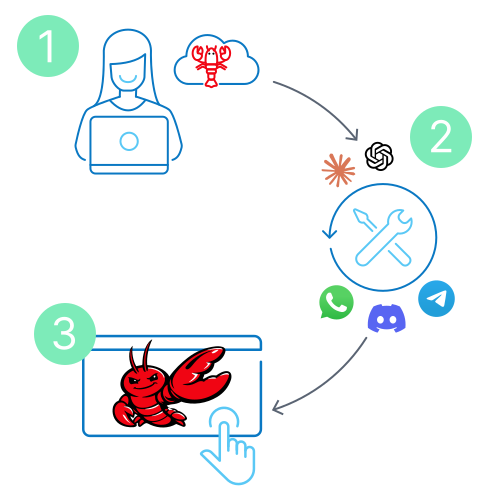
Step 1: Choose Your Plan
Pick the OpenClaw VPS with enough resources for your usage (see our recommendations above or configure your own server).
Step 2: Complete Setup
Once your server is deployed with OpenClaw installed, connect via SSH and run the onboarding wizard. Add your AI provider API keys, connect your messaging apps, and configure your preferences.
Step 3: Start Using OpenClaw
Launch the terminal interface to interact directly with your assistant, or access the Control UI securely via SSH tunnel. For detailed setup instructions, see our complete OpenClaw guide.
Why Self-Host OpenClaw on the Contabo Cloud?

Your data stays yours - everything runs on your secure server.

Always-on automation - your assistant runs 24/7, working while you take care of other things.

Pay one flat monthly fee for your OpenClaw VPS on the best value infrastructure.

Unlimited conversations - chat as much as you want across all your channels.

Choose your AI models - use Claude, GPT, Gemini, or local models.
50+ integrations - connect the tools you already use without restrictions.
What Can You Integrate with OpenClaw?


Telegram


Slack

Signal


Microsoft Teams

Anthropic Claude

OpenAI GPT

Google Gemini

Ollama (local models)

Google Calendar

Notion

Todoist

GitHub

GitLab

Spotify

Apple Music

Apple Podcasts

YouTube

Last.fm

Overseerr

HomeAssistant

Philips Hue

Nest

Ring

Sonos

Dropbox

Google Drive
AWS S3

Docker

CI/CD Automation
Webhooks
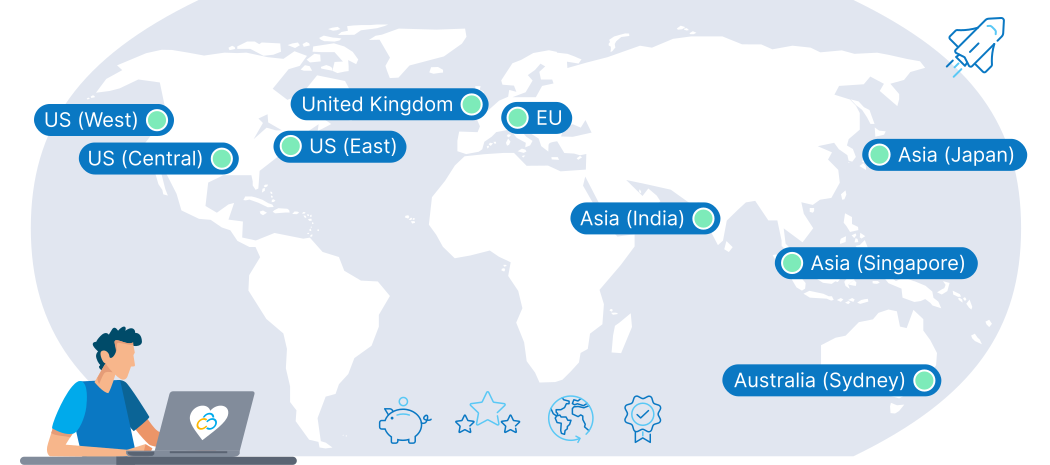
9 Regions, 11 Locations, Global Availability
Trusted by Thousands Worldwide
OpenClaw Guides
Learn how OpenClaw works, why developers are choosing it over ChatGPT, and find out how to deploy your own AI assistant on a VPS: What is OpenClaw: Self-Hosted AI Agent Guide
OpenClaw FAQs
What is OpenClaw AI?
What is Clawdbot & Moltbot?
Why deploy OpenClaw on Contabo VPS?
What are the features of OpenClaw?
Can I use my own domain?
Which AI models does OpenClaw support?
How much does OpenClaw cost?
Is OpenClaw secure?
Does Contabo offer support for OpenClaw?
The price displayed is the effective monthly rate for a 24-month subscription including applicable taxes.
Minimum initial contract length: 1 month | Minimum following contract length: Equal to the initial contract length | Minimum cancellation notice: None (pre-paid) or 4 weeks (post-paid).
Incoming Traffic: Unlimited and unmetered. No extra charges apply. | Outgoing Traffic: Unlimited - fair usage policy applies based on average server workloads. To maintain fair network performance for all customers, Contabo reserves the right to throttle servers with exceptionally high or disruptive usage patterns.
Applications and Add-Ons: Contabo provides full technical assistance for the Contabo VPS itself - including the network, hardware, and initial setup of any 1-click Add-Ons. Any additional open source software included in the applications is owned by the respective provider - maintenance, upgrading, and troubleshooting are within the end-users responsibility.
Contabo is not responsible for the licenses of the software included in the image. They are managed by the respective provider.