






























New Performance VPS : AI-ready power at VPS prices, with AMD EPYC CPUs and NVMe storage.

Hero Image n8n

Self-hosted n8n: Save Hours of Work with AI & Automated Workflows

Hero Check alt Free Pre-Installed n8n
Hero Check alt Unlimited Workflows
Hero Check alt Full Data Control

Build powerful no-code AI workflows to automate your tasks on your own private server. Choose a high-performance Cloud VPS with n8n pre-installed, free of charge, and ready to go in minutes.

CLOUD VPS 4

n8n

Simple Tasks

€5.50
4
40 / month

Great for personal reminders, social media posting, and data backups.


4 vCPU Cores
8 GB RAM
100 GB SSD
Auto Backup available

CLOUD VPS 6

n8n

Basic Workloads

€7.50
6
00 / month

Ideal for web scraping, social media reporting, and data analytics.


6 vCPU Cores
12 GB RAM
200 GB SSD
Auto Backup available

CLOUD VPS 12

n8n

Small Business Needs

€25.00
20
00 / month

Perfect for syncing CRM data, processing orders, and marketing automation.


12 vCPU Cores
48 GB RAM
400 GB SSD
Auto Backup available

CLOUD VPS 18

n8n

Complex Workflows

€49.00
39
20 / month

Maximum power for complex systems and data-intensive automations.


18 vCPU Cores
96 GB RAM
600 GB SSD
Auto Backup available

What is n8n?
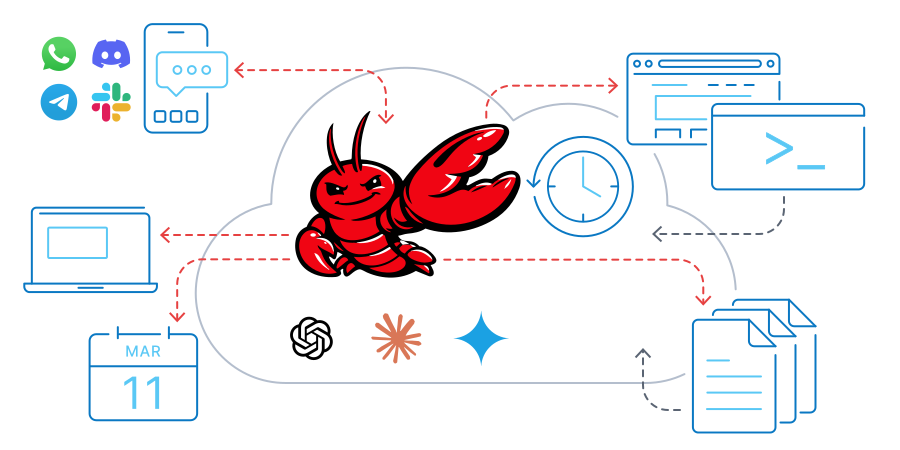
Host your full AI stack on Contabo and connect it to the model provider of your choice. Performance VPS runs your agents, workflows, and data layer. OpenAI, Anthropic, Mistral, or any other LLM API handles inference. You stay in control.
image basics OpenClaw

Think of n8n as a powerful toolkit that connects different apps and services to handle repetitive tasks for you. It uses a simple, visual drag-and-drop editor where you link together nodes to create a workflow. Each node is a step in your process.


n8n is an open-source workflow automation tool that's built for flexibility. You can write your own custom code, connect to internal databases, integrate AI agents, or use an HTTP node to talk to virtually any service with an API.

What Will You Automate?
Self-hosting open-source n8n opens up a world of possibilities. Because you have full control and unlimited executions, you can automate simple tasks and complex systems alike.
Icon Development

Starting at Less than 5 Bucks per Month

Connect to private APIs and databases, run custom code, and automate your CI/CD pipeline.
Icon Ecommerce

Small & Medium Businesses

Automate lead management, sync sales and inventory data, and trigger personalized onboarding flows.

icon angency hosting

Marketers & Agencies

Schedule and publish content, build powerful lead nurturing flows, and consolidate client reports.

Monitoring

IT & Operations Teams

Monitor system and website health, automate account creation, and assign helpdesk tickets automatically.

Start Automating In Minutes

Wondering how to self-host n8n? Forget complicated command-line installations that take hours. With Contabo, you get n8n already installed on a VPS of your choice.

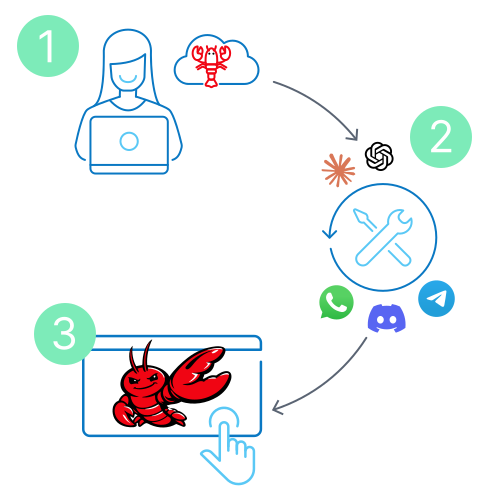
Step 1: Choose Your Plan
Pick the n8n plan with the right resources for your automation needs (see our recommendations above or choose your own server).


Step 2: Start Automating
Once we've set up your server including n8n, it's over to you! Start connecting nodes and create your first workflow.
Get Started OpenClaw Steps

Why Self-Host n8n on the Contabo Cloud?

Self-hosting n8n on your own VPS gives you a level of freedom, power, and control that the n8n Cloud or alternative workflow automation platforms like Zapier or Make simply can't offer.
Icon pricing

Pay one flat monthly fee for your server - that's it.

Icon Power

Unlimited workflows - no extra costs - queue mode included.
Flexibility

Total flexibility to customize code, nodes, and connections.
Icon CPU alt

Fast, reliable performance with allocated resources.
Icon Connection

Integrate anything: internal databases, APIs, and more.

icon_privacy

Full data privacy and SSL certificate for solid security.

What Can You Connect with n8n?
n8n lets you connect hundreds of third-party apps and services via existing nodes or your own custom code. Imagine what's possible with just a few of the most popular integrations below.
Icon google sheets

Google Sheets

Slack

Slack

mysql logo

MySQL

HubSpot Logo

HubSpot

Salesforce Logo

Salesforce

openai

OpenAI

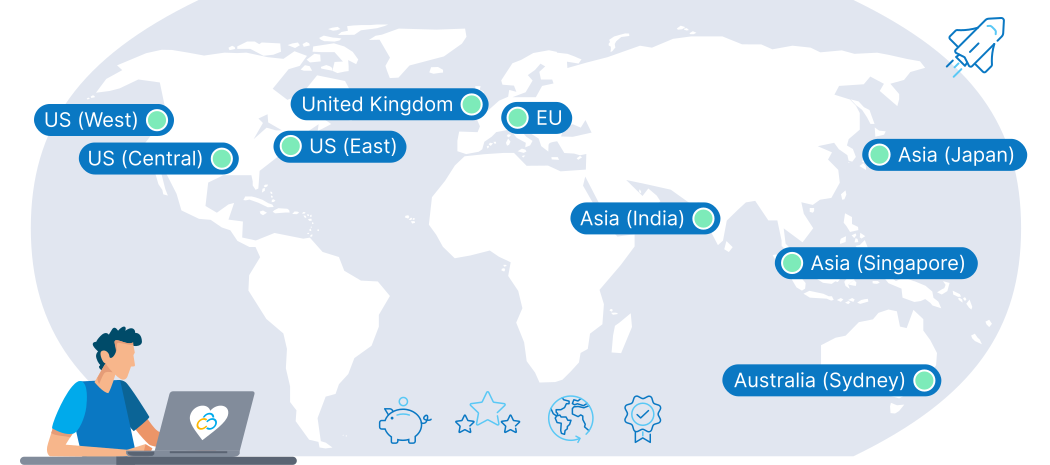
We're Right Where You Need Us

Choose the optimal location for your virtualization needs. Ensure low latency for your applications and users, seamless performance across distributed environments, and cost-efficiency that fits any budget.
Map Location en

Trusted by Thousands Worldwide

190
Countries Served
275,000+
Customers Worldwide
500,000+
Servers Running
23 Years
In business

Frequently Asked Questions about n8n Hosting

FAQs | More information on n8n Hosting on Contabo
How do I use n8n once it's installed?

Once your server is deployed, you access n8n's visual workflow editor via your hostname IP address. From there, you can start building automations by connecting different application nodes. For a step-by-step walkthrough, check out our article:  The Complete Beginner's Guide to n8n: Your First Workflow .

What is an n8n AI Agent?

An n8n AI Agent refers to a workflow that uses n8n's built-in AI capabilities to perform complex tasks. You can connect to large language models (like GPT-4), feed them data from your other nodes, and use the AI's output to make decisions within your automation. To see how it's done, explore our post:  n8n AI Workflows: Advanced Integrations & Use Cases

How does n8n compare to Zapier and Make?

The biggest differences are in cost, control, and customization. Self-hosted n8n offers unlimited executions for a flat fee and complete data privacy, whereas Zapier and Make use a pay-per-task model on their cloud platforms. n8n also provides much deeper flexibility for developers. For a detailed breakdown, read our guide:  n8n vs. Zapier vs. Make: An In-Depth Comparison .

Why should developers use n8n?

n8n is an open-source, highly customizable platform that allows developers to write custom logic in JavaScript or Python, build their own nodes, and connect to private APIs or internal services. It offers the perfect balance, combining a time-saving visual editor with the power of real code and limitless integration possibilities.

For a classic use case with endless possibilities, see our blog article:  The Ultimate Guide to n8n Web Scraping

How do I sync CRM data with Google Sheets using n8n?

This is a classic and powerful use case. You would create a workflow with a trigger node for your CRM (e.g., "New Contact in HubSpot"). You then connect that to a "Google Sheets" node, mapping the contact's data (like name, email, and company) to the correct columns in your sheet.

For more e-commerce related use cases, check out our article:  n8n E-commerce Automation: How to Scale Your Business

What’s the difference between n8n Cloud and self-hosted n8n?

The Cloud n8n version is fully managed (instant setup, updates, scaling) but costs more and offers less customization; the self-hosted version gives full control, data sovereignty, and lower long‑term cost but requires server admin skills and maintenance. With the 1-click add-on from Contabo, the self-hosted version offers low monthly cost, full control, ideal for high‑volume automations, without any DevOps skills being necessary.

How do I run n8n on Docker?

While our 1-click Add-On is the fastest method, running n8n with Docker on a Contabo VPS offers even more configuration control. The official n8n documentation provides a undefined file that makes setup straightforward. For detailed instructions, see our article:  Self-Hosting n8n: A Comprehensive Docker & VPS Guide .

How can I install n8n on Windows?

You can absolutely run n8n on a local Windows machine for development and testing. However, for a stable, always-on production environment, we recommend our 1-Click Add-on for a Linux VPS. For instructions on installing n8n on Windows, the  official n8n documentation  is the best resource.

How can I install n8n on my existing server?

You can easily install n8n free of charge on any existing Contabo VPS or VDS instance via your  Customer Control Panel . Simply follow our  step-by-step guide .

Can I add additional users to my n8n instance?

Of course. You can do this easily via the Users section within the n8n Settings menu.

Please note that due to server-side restrictions, invited users will not receive an email. However, you can simply copy the invite link and send it to the users you wish to add. They can use this link to connect to your n8n instance as normal.


How long will it take to get my n8n server up and running?

The entire provisioning process including installation of the n8n image can take up to 30 minutes in two stages:

  • Your server will be provisioned, and you will receive login details via email. For standard configurations, this usually takes no more than a few minutes.
  • Once the server itself is up and running, please allow the remainder of 30 minutes for the n8n instance to be installed and activated.
What support is available for n8n?

We provide full technical support for the Contabo VPS itself - including the network, hardware, and initial setup of the 1-click Add-On. For specific questions about building workflows or troubleshooting n8n's features, the extensive  n8n documentation  and their active  community forum  are the best resources.

The price displayed is the effective monthly rate for a 24-month subscription including applicable taxes.

Minimum initial contract length: 1 month | Minimum following contract length: Equal to the initial contract length | Minimum cancellation notice: None (pre-paid) or 4 weeks (post-paid).

Incoming Traffic: Unlimited and unmetered. No extra charges apply. | Outgoing Traffic: Unlimited - fair usage policy applies based on average server workloads. To maintain fair network performance for all customers, Contabo reserves the right to throttle servers with exceptionally high or disruptive usage patterns.

Applications and Add-Ons: Contabo provides full technical assistance for the Contabo VPS itself - including the network, hardware, and initial setup of any 1-click Add-Ons. Any additional open source software included in the applications is owned by the respective provider - maintenance, upgrading, and troubleshooting are within the end-users responsibility.

Contabo is not responsible for the licenses of the software included in the image. They are managed by the respective provider.

n8n Hosting Guides
Quick, practical blog guides to help you get the most from your n8n server
guide n8n beginner

Learn n8n from scratch and build your first real workflow step by step, from core concepts to a working example.
Start with  The Complete Beginner’s Guide to n8n: Your First Workflow
N8N VS Zapier VS Make

Find out what matters when it comes to automation platforms. We help you pick the perfect tool for you.
Get the full breakdown in  n8n vs. Zapier vs. Make
Guide self hosting n8n

Run n8n on your own VPS using Docker, including setup, configuration, and data persistence on Contabo.
Follow the steps in  Self-Hosting n8n: A Comprehensive Docker & VPS Guide