





































































REMOTE DESKTOP
Remote Desktop on the Contabo Cloud: Your Powerful Virtual Workspace
Set up and access your Windows or Linux desktop from anywhere. Get high-performance, secure, and customizable virtual desktop solutions on low-cost VPS, VDS, and Dedicated Servers.
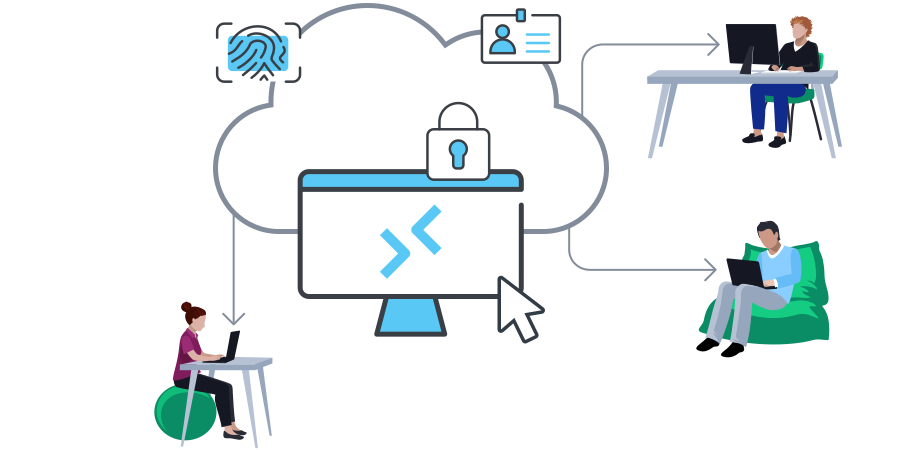
Bring Your Workspace To Your Global Team
 CLOUD VPS 6
 Ubuntu
Ubuntu
CLOUD VPS 12 Windows Server
Windows Server
CLOUD VDS L Ubuntu
Ubuntu
CLOUD VDS XXL Flux Nodes
Flux Nodes
AMD RYZEN 12 Cores BTCPayServer
BTCPayServer
What Can You Do with a Remote Desktop Server?
Remote Work & Collaboration
Create a virtual office accessible from anywhere. Run resource-intensive applications and keep your remote team productive regardless of location.

Development & Testing
Set up isolated environments as part of a CI/CD Pipeline. Quickly create, modify, and remove development setups to accelerate your development cycle.
Business Continuity Solutions
Keep your business running during unexpected situations. Access critical applications and data remotely to maintain operations during disruptions.

Education & Training
Provide standardized virtual desktops for consistent learning experiences. Ensure all students or trainees have access to the same tools and resources.
Graphics-Intensive Applications
Run demanding software like CAD or video editing tools on a powerful cloud server. Work on resource-heavy projects from less powerful local machines.
Legacy Application Access
Maintain a stable environment for older, business-critical applications. Keep legacy software running that may not be compatible with modern systems.
9 Regions, 11 Locations, Global Availability
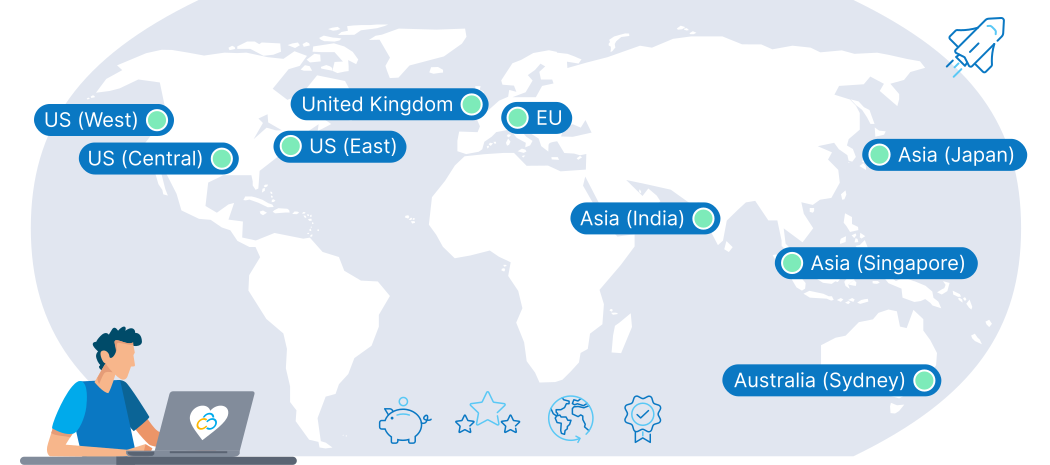
Getting Started with Your Remote Desktop Server

Choose Your Plan
Select your VPS, VDS, or Dedicated Server,
including Windows Server or your chosen Linux distribution.
Set Up Your Server
Log in to your new server, update,
and install remote desktop software
(for Windows, RDP is built-in).
Configure Access
Enable remote desktop access
on your server. Set up proper authentication
and encryption.
Secure Your Connection
Use strong security measures
like complex passwords, 2FA, and firewalls.
Consider enhancing security with a VPN.
Connect & Customize
Use a remote desktop client to connect
to your server and customize
your virtual environment.
Windows vs. Linux Remote Desktop: Choosing the Right OS for Your Needs
Windows Remote Desktop
- Built-in Remote Desktop Protocol (RDP)
- Familiar interface for most users
- Easy to set up and use within a Windows environment
- Requires Windows Server (additional licensing cost)
- Compatibility and performance for Windows applications
- Robust Windows standard security features
Choose Windows if you need seamless integration with Microsoft ecosystems or run Windows-specific applications.
Linux Remote Desktop
- Multiple protocol options (VNC, XRDP, X11 forwarding)
- Highly customizable environments (GNOME, KDE, Xfce)
- Requires technical knowledge to set up and maintain
- Free and open-source options available
- Can be more efficient for server and development tasks
- Frequent security updates and community improvements
Choose Linux if you prioritize customization, resource efficiency, or open-source solutions.
Remote Desktop Applications
TeamViewer

LogMeIn Pro / GoToMyPC

Splashtop
RemotePC

AnyDesk
Chrome Remote Desktop
Why Run Your Remote Desktop on the Contabo Cloud?
Full Control & Customization
With full root access, you can tailor your remote desktop environment to your needs. Install any software, configure settings, and optimize performance.
High Performance, Low Cost
Our powerful cloud servers deliver smooth, responsive remote desktop experiences without breaking the bank. Get all the resources you need for less.
Scalability on Demand
Easily upgrade your resources as your needs grow. Start with a VPS and scale up to powerful Bare Metal without any downtime or data migration headaches.
Enhanced Security
Keep your data secure with our built-in DDoS protection and isolated server environments. Easily add your own security measures for extra protection.
Global Accessibility
Access your desktop from anywhere in the world. With 12 Data Centers worldwide, you can choose a location that minimizes latency for your team or clients.
Reliable Uptime
Our robust infrastructure keeps your remote desktop accessible. With high reliability and our expert support team, you can work remotely with confidence.
Trusted by Thousands Worldwide
Don't Just Take Our Word For It...