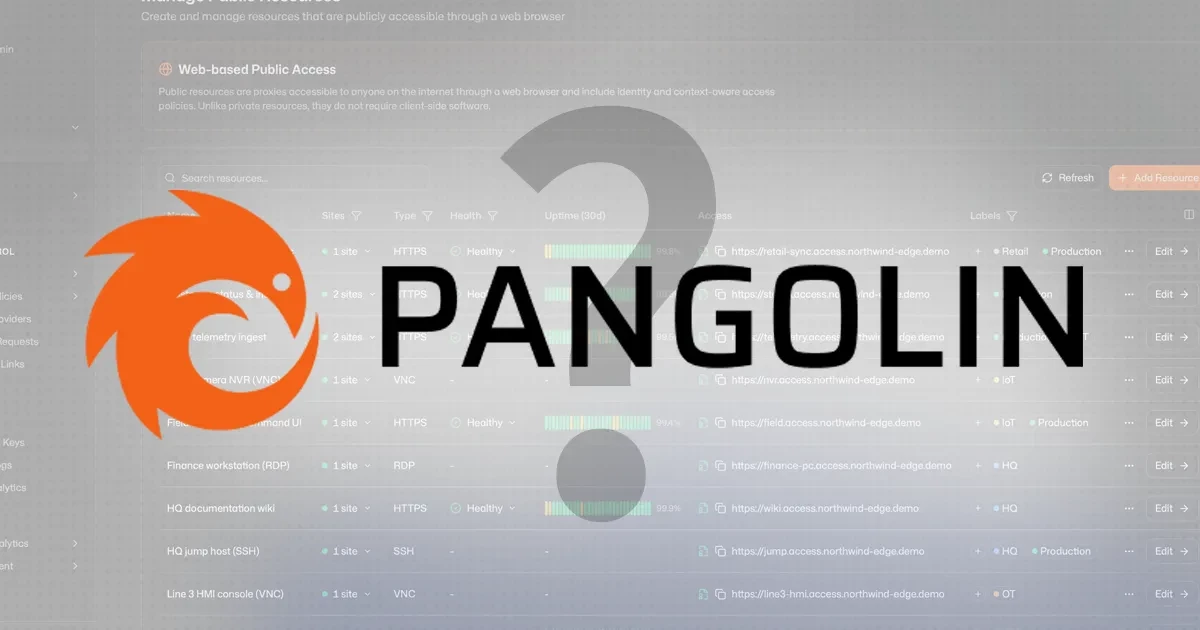
Pangolin is an open-source, identity-aware remote access platform built on WireGuard. It combines a tunneled reverse proxy and zero-trust VPN into one self-hosted stack, running on a public VPS as a hub. Deploy Newt on any private network — a home lab behind NAT, an office server, a cloud VPC — and Pangolin tunnels authenticated access to both web applications and private resources like databases and SSH servers, without opening a single inbound port on the private network.
What Pangolin Does
Most remote access setups involve stitching together at least three separate tools: a reverse proxy (Traefik, Caddy, or Nginx), a tunnel provider (Cloudflare Tunnel, ngrok), and an identity/auth layer (Authelia, Authentik, Keycloak). Pangolin replaces that entire stack with one deployable unit.
It covers two distinct access modes in a single platform:
- Tunneled reverse proxy — expose web applications running on private networks to the public internet via HTTPS, with automatic Let’s Encrypt certificates and zero-trust access controls. No inbound firewall rules needed. This is what Cloudflare Tunnel does, but self-hosted.
- Private resource access (ZTNA) — connect directly to databases, SSH servers, RDP hosts, and entire network ranges through authenticated WireGuard tunnels. Think Tailscale’s device-access model, but with Pangolin controlling the control plane on your own VPS.
The two modes are managed from a unified dashboard UI — the same identity layer, the same access control policies, the same audit logs — whether a team member is hitting a web app over HTTPS or SSH-ing into a production server.
How Pangolin Works: Architecture Overview
Pangolin deploys as four containers on your VPS hub, coordinated by Docker Compose:
| Component | Where it runs | Role | Analogy |
|---|---|---|---|
| Pangolin | Your public VPS | Control plane — dashboard, auth, routing config | The hub |
| Gerbil | Your public VPS (alongside Pangolin) | WireGuard interface manager — creates and maintains the tunnel | The tunnel engine |
| Traefik | Your public VPS (alongside Pangolin) | Reverse proxy — handles HTTPS, SSL certs, routes traffic to the right site | The traffic director |
| Newt | Each private network (client) | Lightweight WireGuard site connector — dials out to Gerbil, no inbound ports needed | The spoke |
The traffic flow for a web request looks like this: a browser sends HTTPS to port 443 on your Pangolin VPS. Gerbil’s SNI proxy reads the hostname and routes the request to Traefik, which holds the valid Let’s Encrypt certificate and handles SSL termination. Traefik then consults Pangolin’s routing config, determines which site (private network) owns this resource, and forwards the request through the WireGuard tunnel to the Newt client running on that private network. Newt delivers it to the backend service — a Gitea instance, a Prometheus dashboard, a Nextcloud server — which never needed a public IP or open port.
The flow for private resource access (SSH, database, RDP) follows the same WireGuard tunnel path but routes through Pangolin’s native client rather than the browser, giving you a proper network-layer connection rather than an HTTP proxy.
Pangolin vs Cloudflare Tunnel: Key Differences
Cloudflare Tunnel is the obvious comparison — both tools expose private services to the internet without opening ports. The architectural difference is fundamental: Cloudflare Tunnel routes your traffic through Cloudflare’s global edge, where Cloudflare terminates TLS and sees your application traffic in plaintext before forwarding it. Pangolin keeps all of that on infrastructure you own.
| Dimension | Pangolin (self-hosted) | Cloudflare Tunnel (managed) |
|---|---|---|
| Hosting | Self-hosted on your VPS — you own the infrastructure | Managed by Cloudflare — traffic routes through Cloudflare’s edge |
| TLS termination | Your Traefik instance handles TLS — Pangolin never sees plaintext on a third-party server | Cloudflare terminates TLS — traffic is decrypted at Cloudflare’s edge |
| Upload limits | None (limited only by your VPS bandwidth) | 100 MB per request on free tier |
| Cost | VPS cost (from ~€8.75/mo on Contabo Cloud VPS Plus 4) | Free tier available; paid plans for advanced features |
| Control | Full — you configure routing, access rules, rate limits | Limited to what Cloudflare exposes in the dashboard |
| Video streaming | No ToS restrictions | Restricted under Cloudflare’s ToS on the free plan |
For teams running GDPR-sensitive applications, healthcare tooling, or internal services where data must not transit a third-party network, Pangolin’s self-hosted model is not just a preference — it is a compliance requirement.
Pangolin vs Tailscale: Where Each Fits
Pangolin and Tailscale serve overlapping but distinct use cases. Tailscale is mesh-VPN-first: it creates encrypted point-to-point connections between devices using WireGuard, with no public IP required on any node. Its strength is device-to-device access — connecting a laptop directly to a home server, or giving a remote team member access to internal tooling. Tailscale’s free tier is generous and requires no infrastructure to manage.
Pangolin is reverse-proxy-first: it needs a VPS with a public IP as the hub, and its primary use case is exposing web applications via HTTPS with identity-aware access controls. Where Pangolin has a clear edge over Tailscale is browser-accessible public-facing resources — you get a proper HTTPS URL, Let’s Encrypt certificate, and per-resource access policies without requiring every user to install a VPN client.
As of mid-2026, Pangolin is also expanding its native client capabilities (Android, Windows, CLI), moving further into Tailscale territory for device-level VPN access. Headscale — the open-source, self-hosted Tailscale control plane — is the closer comparison for pure mesh-VPN without vendor dependency. The practical answer: use Pangolin when you need authenticated HTTPS access to web apps; Tailscale or Headscale when you need device-to-device mesh access without a public IP hub.
What You Need to Run Pangolin
Pangolin’s requirements are minimal by infrastructure standards:
- A VPS with a public IP address (required for the hub role — Pangolin cannot run purely behind NAT)
- Docker and Docker Compose installed on the VPS
- A domain or subdomain you control (for HTTPS — Traefik handles Let’s Encrypt automatically)
- Ports 80 and 443 open on the VPS (HTTP challenge for cert issuance, HTTPS traffic)
- Port 51820/UDP open (WireGuard tunnel traffic from Newt clients)
The official installer script handles all container orchestration — Pangolin, Gerbil, and Traefik are configured and started with a single interactive command. Newt installs on each private network as a single binary or Docker container requiring three environment variables: the Pangolin endpoint, a site ID, and a secret token.
Why Run Pangolin on a Contabo VPS
Pangolin architecturally requires a public-IP VPS as the hub — and the hub’s main jobs are running four containers (Pangolin, Gerbil, Traefik, and the control plane API), managing WireGuard sessions, and handling HTTPS routing. That workload is well within the reach of a modest VPS.
Contabo Cloud VPS Plus 4 — 4 cores, 8 GB RAM, 150 GB NVMe, at €8.75/month — covers the hub role comfortably for most homelab-to-small-business deployments. The NVMe storage matters for Traefik’s certificate state and active tunnel configuration. With Contabo’s RAM-per-Euro positioning, the Plus 4 gives you meaningful headroom to run Pangolin alongside other self-hosted services on the same VPS rather than dedicating a server purely to the tunnel hub.
For larger deployments with tens of concurrent tunnel sessions, the Cloud VPS Plus 6 (12 GB RAM, €13.50/month) adds comfortable overhead. EU VPS locations also satisfy data-residency requirements for teams routing sensitive traffic through Pangolin.
FAQ: Pangolin
What is Pangolin used for?
Pangolin is used to expose private services — home lab dashboards, internal web applications, databases, SSH servers — to the internet or a team, securely, without opening inbound firewall ports on the private network. It replaces the combination of Cloudflare Tunnel (for web exposure) and Tailscale (for device access) with one self-hosted stack that keeps all traffic on infrastructure you control.
Does Pangolin replace Cloudflare Tunnel?
For teams that need full data sovereignty — traffic that must not transit Cloudflare’s edge — Pangolin is the direct replacement. It replicates Cloudflare Tunnel’s core function (expose private web services via HTTPS without opening ports) on self-hosted infrastructure. The trade-off: you manage the VPS hub. If you have no data-residency requirements and want zero infrastructure to manage, Cloudflare Tunnel’s free tier is still easier to operate.
Does Pangolin replace Tailscale?
Partially. For browser-based access to web applications with per-resource identity controls, Pangolin is the stronger tool. For pure mesh device-to-device access — connecting a laptop directly to a home server without a public-IP hub — Tailscale’s architecture is simpler and requires no VPS. As Pangolin’s native client (Android, Windows, CLI) matures, the gap narrows, but Tailscale or Headscale remain better suited for the pure mesh-VPN workload as of mid-2026.
What VPS does Pangolin need?
Any Linux VPS with a public IP, Docker, and ports 443 and 51820/UDP open works. For a hub running a typical homelab or small-team setup, 2–4 GB RAM and 2 vCPUs is sufficient. Contabo Cloud VPS Plus 4 (4 cores, 8 GB RAM, €8.75/month) gives comfortable headroom to co-host Pangolin alongside other services. Larger deployments with many concurrent tunnel sessions benefit from the Plus 6 (12 GB RAM, €13.50/month).
Is Pangolin free?
The Community Edition is free and open source under AGPL-3.0. It covers the full self-hosted deployment with no user or site limits beyond what your VPS can handle. An Enterprise Edition adds commercial licensing for organisations with revenue above $100k/year. A managed Pangolin Cloud is also available for teams who want the feature set without the infrastructure overhead, with a free tier for up to 5 users and 5 sites.
Disclaimer: Product specifications, features, and prices mentioned in this article are subject to change and may vary by region, billing term, and active promotions. Please check each provider’s or brand’s official website for current figures, pricing, and local currency rates.