
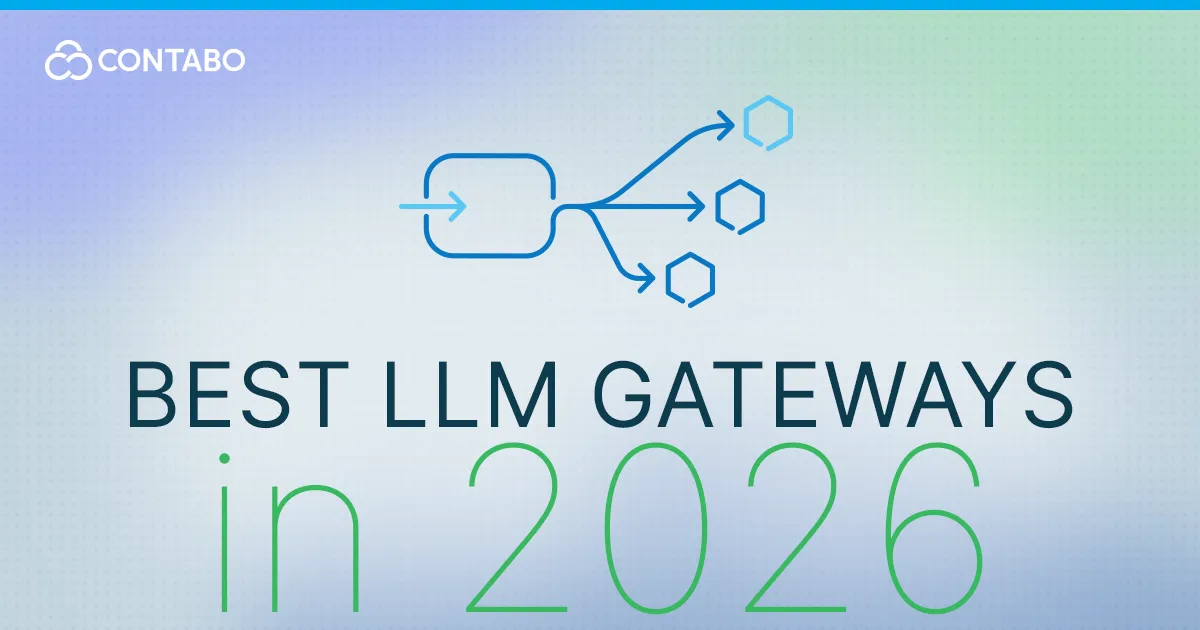
An LLM gateway puts a single OpenAI-compatible endpoint in front of many model providers, adding routing, fallbacks, cost tracking, and access keys so your application talks to one API instead of a dozen. The strongest options in 2026 are LiteLLM for open-source self-hosting, OpenRouter for zero-ops managed access, and Portkey when governance and guardrails matter. Here’s the full field and who each suits.
What Is an LLM Gateway (and Why Use One)?
As soon as an application calls more than one model provider, the plumbing gets messy: different SDKs, different auth, different error formats, and no single view of spend. A gateway solves that by sitting in the middle. The things it gives you:
- One OpenAI-compatible API for many providers — swap the model name, not your code.
- Routing and automatic fallbacks, so a provider outage doesn’t take your app down.
- Cost tracking and per-team or per-key budgets across every provider.
- Virtual keys, so you hand out scoped credentials instead of raw provider keys.
- Caching and observability — fewer duplicate calls, and logs you can actually read.
Self-Hosted vs Managed Gateways
The first fork in the road is whether you run the gateway yourself. Self-hosted options like LiteLLM keep everything inside your infrastructure — only the actual model call leaves your network — which matters for data residency and compliance. Managed options like OpenRouter and Cloudflare AI Gateway trade that control for zero operational burden. Portkey and Kong sit in between: open-source cores with optional managed platforms. Most decisions come down to one question — do you want to own the infrastructure, or not?
Comparison Table: LLM Gateways at a Glance
| Gateway | Self-hosted? | Open-source? | Built-in cost tracking | Best for |
|---|---|---|---|---|
| LiteLLM | Yes | Yes (MIT) | Yes (budgets, virtual keys) | Open-source teams that self-host |
| OpenRouter | No (managed) | Gateway core open; platform managed | Usage dashboard | Zero-ops, fast access to many models |
| Portkey | Limited | Open-source core + managed | Yes | Governance, guardrails, observability |
| Kong AI Gateway | Yes | Open-source core | Via plugins | Enterprises already running Kong |
| Cloudflare AI Gateway | No (managed) | No | Analytics | Apps in the Cloudflare ecosystem |
1. LiteLLM — Best Open-Source, Self-Hosted Gateway
LiteLLM is the open-source standard for this job — an MIT-licensed, OpenAI-compatible proxy that puts one endpoint in front of 100+ providers, with virtual keys, per-team budgets, cost tracking, automatic fallbacks, and an admin UI. It comes as both a lightweight Python SDK and a full proxy server, and deploys with Docker. The proxy itself is CPU-bound and runs comfortably on a small server, backed by a PostgreSQL database (and optionally Redis). If you want to own your gateway end to end, this is the default pick. See the linked Docker setup guide for a step-by-step deploy.
2. OpenRouter — Best Zero-Ops Managed Router
OpenRouter is the opposite philosophy: you deploy nothing. Sign up, get one API key, and you have instant access to hundreds of models from every major provider behind a single endpoint, with billing consolidated across them. Pricing is pay-per-token — the provider’s rate plus a small platform fee — with no infrastructure to maintain. It’s the fastest way to prototype across many models or run a small-to-medium workload without ops. We compare it head-to-head with LiteLLM in a dedicated article, linked below.
3. Portkey — Best for Governance & Guardrails
Portkey positions itself as a control plane for AI traffic. Alongside routing across a large model catalog, it adds semantic caching, guardrails, detailed observability, and budget controls — the things that matter when you move from experimentation into repeatable production delivery. It offers an open-source gateway core with a managed platform on top, and leans cloud-first, with more limited self-hosting than LiteLLM. Choose it when routing policy, spend governance, and auditability matter as much as the API abstraction itself.
4. Kong AI Gateway — Best for Existing Kong / Enterprise
Kong AI Gateway brings LLM routing into Kong’s established API-management world, with a strong plugin ecosystem, SSO, and features like PII redaction. It’s enterprise-focused and the most powerful option if you already operate a Kong API mesh — but it’s also the heaviest to run and assumes Kong infrastructure underneath. If you’re not already a Kong shop, the operational weight is hard to justify for LLM routing alone.
5. Cloudflare AI Gateway — Best for Cloudflare-Ecosystem Apps
Cloudflare AI Gateway is a fully managed option with near-zero operational overhead, adding caching and analytics in front of your providers. Its sweet spot is applications that already live in the Cloudflare (or similar edge/platform) ecosystem, where it slots in naturally. As with any managed gateway, you trade some data control for the convenience of having someone else run it.
6. Other Options Worth Knowing (TrueFoundry, Helicone, Bifrost)
A few more worth a look depending on your priorities:
- TrueFoundry — Kubernetes-native AI gateway with governance, RBAC, and budgets, and the ability to host your own models alongside cloud APIs.
- Helicone — observability-first, self-hostable, strong if logging and analytics are your main need.
- Bifrost — a Go-based gateway aimed at low-latency, high-throughput infrastructure.
A Note on vLLM and Ollama (Not Gateways)
It’s worth clearing up a common mix-up: vLLM and Ollama are not gateways. They’re inference engines and runtimes — they actually run the models. A gateway like LiteLLM sits in front of them, routing requests to a vLLM or Ollama backend just as it would to a cloud provider. So they’re complementary, not competitors: you’d often use a gateway and a local runtime together. If self-hosted inference is what you’re after, see the linked Ollama guides.
Which LLM Gateway Should You Choose?
A quick decision guide:
- Want self-hosted and open-source → LiteLLM.
- Want zero ops and the fastest start → OpenRouter.
- Need governance, guardrails, and deep observability → Portkey.
- Already run a Kong API mesh → Kong AI Gateway.
- Your app lives in the Cloudflare ecosystem → Cloudflare AI Gateway.
How to Self-Host an LLM Gateway on a VPS
The open-source gateways — LiteLLM chief among them — run well on a modest virtual private server: the proxy is CPU-bound and undemanding, with a small PostgreSQL database alongside it. A VPS gives you root access to install Docker, full control of your data, and EU data-residency options, so your prompts and provider keys stay in infrastructure you own. Contabo’s Core VPS line offers strong RAM-per-Euro value for this kind of always-on service. For the full deploy, see the linked Docker setup guide.
FAQ: LLM Gateways
What is an LLM gateway?
An LLM gateway is a service that sits between your application and multiple model providers, exposing one OpenAI-compatible API. It handles routing, fallbacks, cost tracking, and access keys, so you can switch models or providers without changing your application code.
What is the best open-source LLM gateway?
LiteLLM is the most widely adopted open-source LLM gateway. It’s MIT-licensed, self-hostable, supports 100+ providers through an OpenAI-compatible API, and includes virtual keys, budgets, and cost tracking. Portkey and Kong also offer open-source cores if you need their specific features.
Is LiteLLM free?
Yes. LiteLLM is free and open-source under the MIT license, and you can self-host the proxy at no licensing cost. There is a separate commercial tier for enterprise features such as SSO and advanced governance, but the core gateway is free to run yourself.
LiteLLM vs OpenRouter — which should I use?
Use LiteLLM if you want to self-host and keep data in your own infrastructure; use OpenRouter if you want managed, zero-ops access to many models. Many teams use both — LiteLLM as the in-house gateway with OpenRouter as one of the providers behind it. See our dedicated comparison for detail.
Do I need a gateway if I only use one provider?
Usually not. A gateway earns its place once you call multiple providers or models, need fallbacks, or want centralized cost control and virtual keys. For a single provider and simple usage, calling that provider’s API directly is often enough until your needs grow.
Disclaimer: Product specifications, features, and prices mentioned in this article are subject to change and may vary by region, billing term, and active promotions. Please check each provider’s or brand’s official website for current figures, pricing, and local currency rates.